How to Save Outlook Calendar as ICS File Format?

Saving the Outlook Calendar as an ICS file is a simple way to manage and share schedules across different applications for personal and professional work. Therefore, understanding how to save Outlook Calendar as ICS file helps users to transfer data accurately without missing important calendar details.
In this guide, we will go through built-in options to automated solutions for bulk conversion. Also, you will learn best approaches to export Outlook calendar to ICS file easily. Now, let’s discuss about calendar file.
What is ICS File Format?
ICS is the file extension for iCalendar files. This file type contains all the events you find in your calendar, such as the date, the event starts and ends, its description, and so on. All these details are in a plain text, so they are used by many email and calendar programs such as Outlook, Google Calendar, Apple Calendar and various other applications.
Now, let’s delve into the solutions to save Outlook Calendar as ICS file quickly.
Get Best Solution to Save Outlook Emails to PST File
How to Save Outlook Calendar as ICS File from Multiple PST Files
Select the Outlook PST File Conversion Tool to export Outlook calendar to ICS format. After adding a PST file to the software, the tool scans the file to remove errors, if any. One of the unique features of this tool is the ability to sort various data items, including calendars, based on related attributes. This includes From, To, Subject, Date (Send & Received), etc. The tool is designed to run easily on the latest Windows OS 11, 10 and earlier versions.
For Windows
For Mac
How to Export Outlook Calendar to ICS File Manually?
For any purpose you may need to save Outlook calendar as ICS file, it is imperative that you do so safely. It is always recommended to use only reliable tools and methods. So here we will use Outlook to do the same.
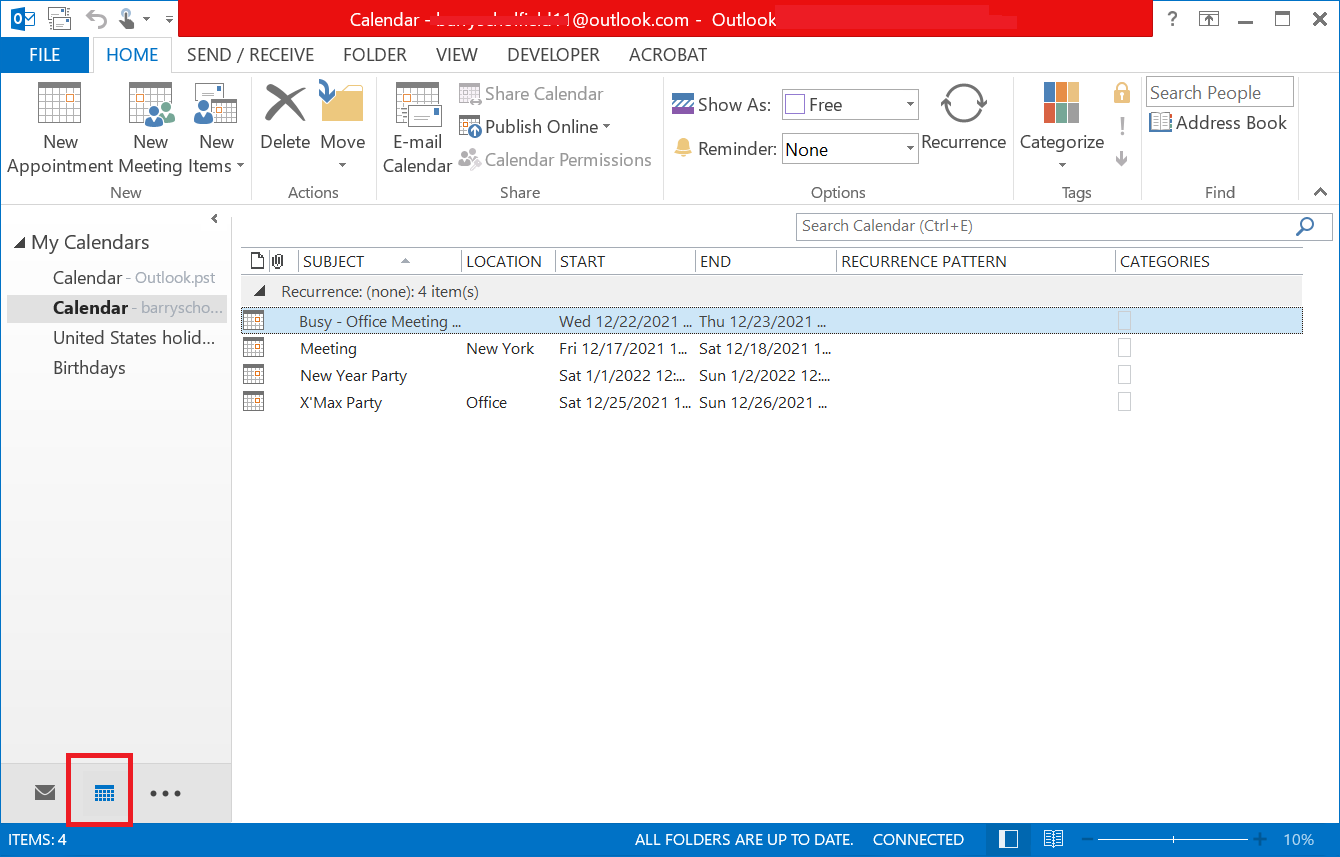
1. Open Outlook Application and Go to Calendar Tab.
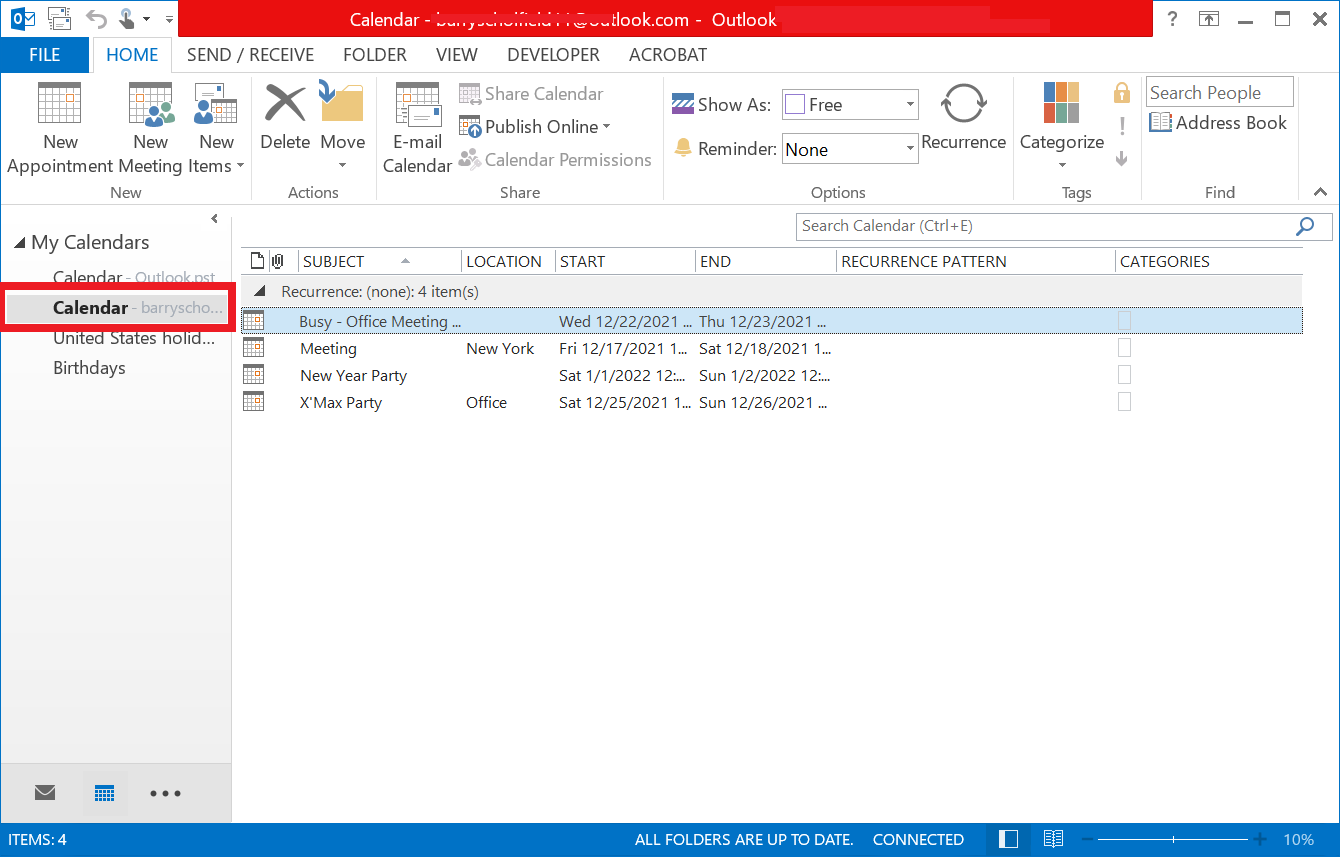
2. Select an Outlook Calendar from the List.
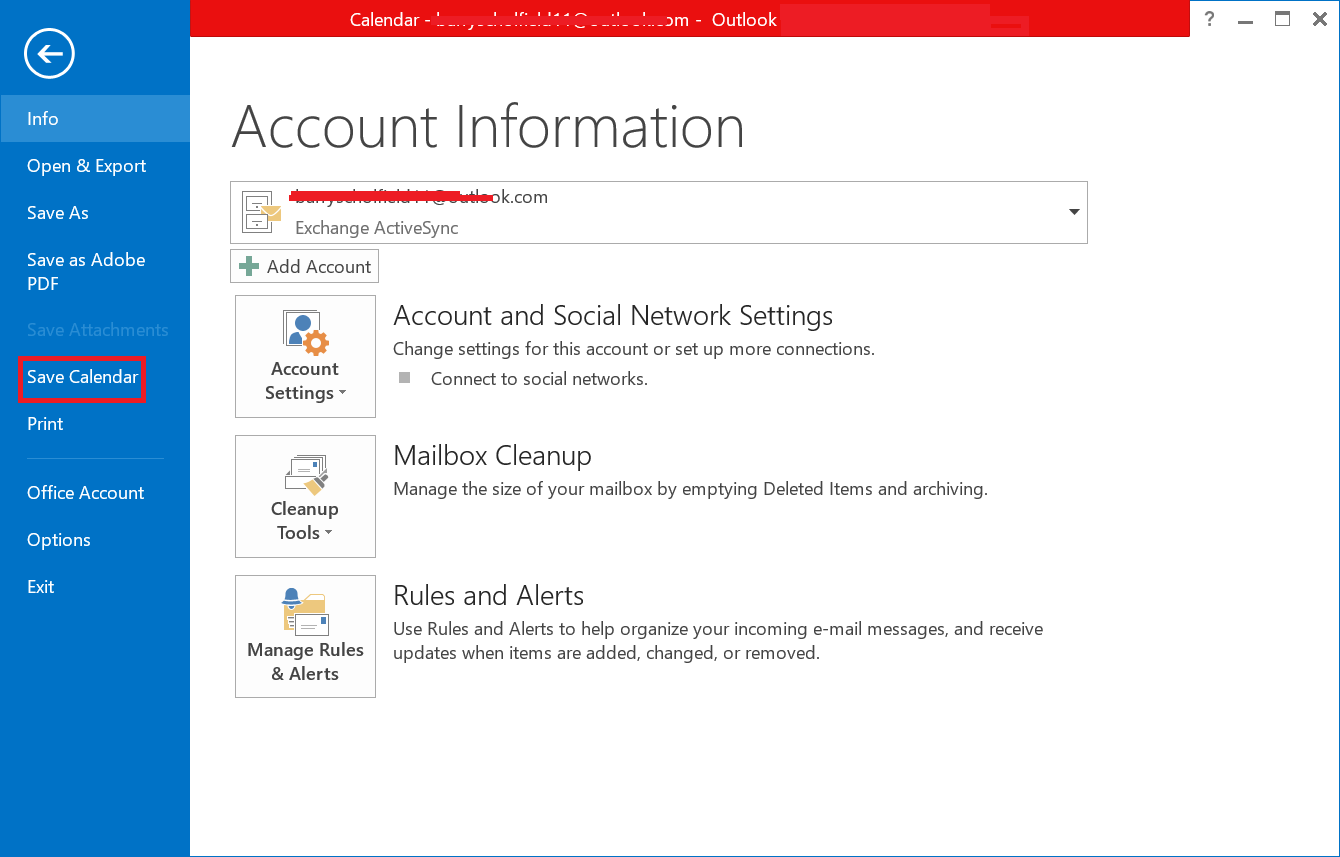
3. Go to File Tab and select the Save Calendar Option.
4. Finally, Save Outlook Calendar as ICS File.
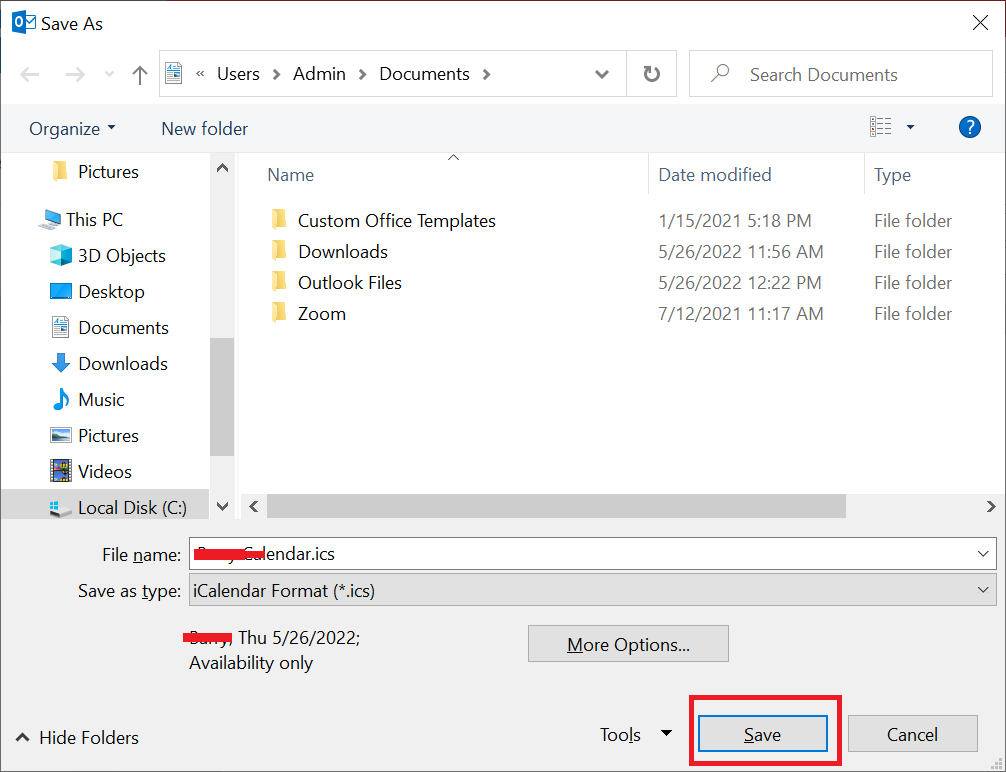
This is how the Outlook calendar is saved to ICS format. After completing the above steps, you will have the ICS file saved in the desired location. Now you can use the resultant ICS file in Google Calendar, Apple Calendar, or Outlook.com.
Refer: How to Transfer PST Contacts to vCard without Outlook?
Final Words
In this blog, we have covered the query of how to save Outlook Calendar as ICS file Format using manual and automated solution. Manually you can save the Outlook calendar to ICS format but one by one, not in batch. Using an automated solution to save ICS files from multiple PST files with or without Outlook installation is a secure way, as it exports calendars in bulk without taking much time.