(4.7 Based on 111 Reviews)
Migrate From Live Exchange Server to Office 365

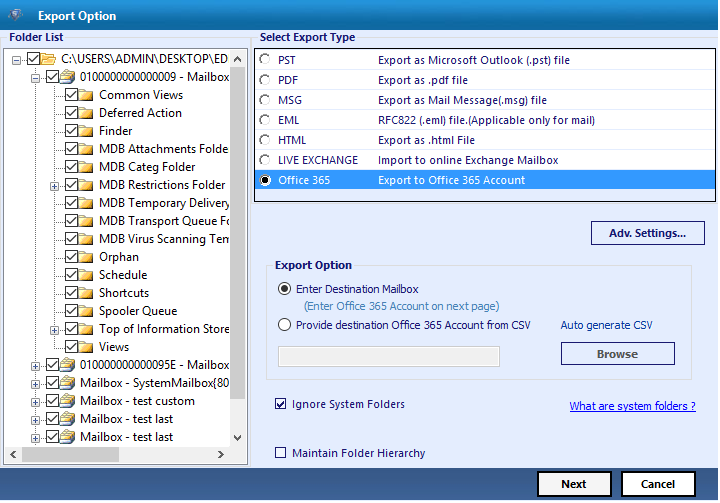
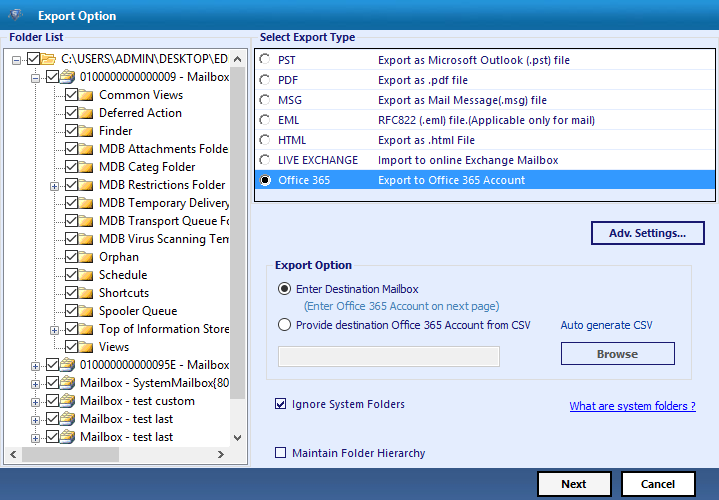
The software provides users an option to export multiple mailboxes from Live Exchange 2016, 2013, 2010, 2007, 2003 to Office 365 in batch. Moreover, a user can directly import mailboxes to respective Office 365 user account with the help of mapping option.

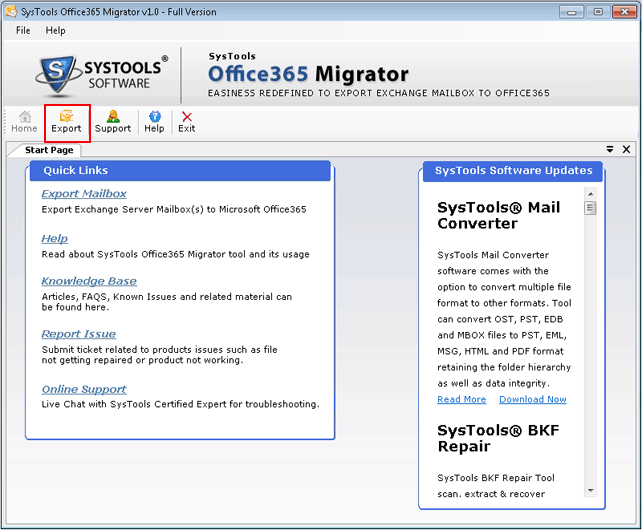
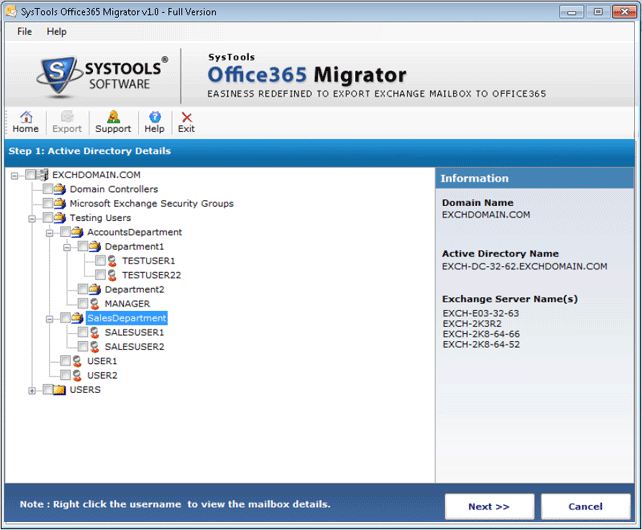
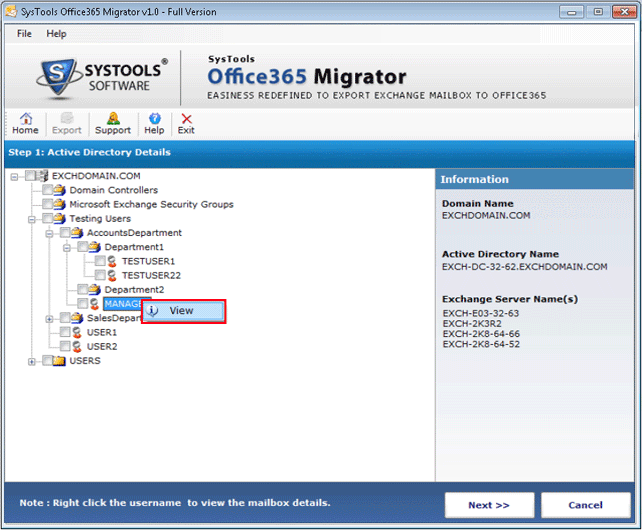
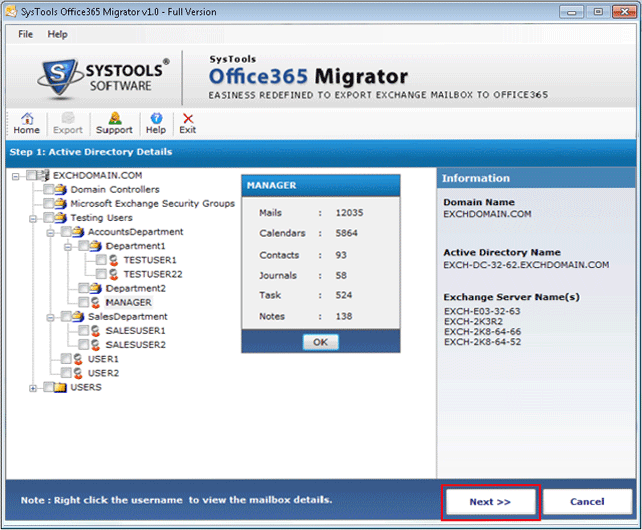
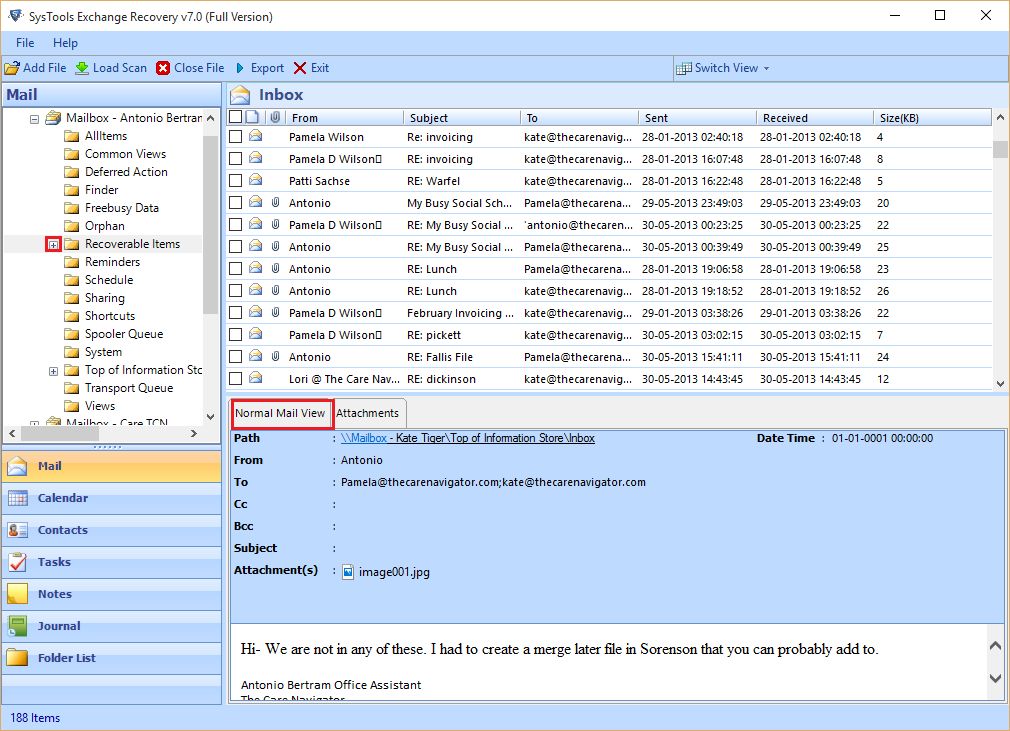
As soon as user run the application and click on the export button, the tool starts loading Active Directory console of the Live Exchange Server. This it will display all details of the Active Directory such as all mailboxes available in it, count of all data items within the respective mailboxes, etc.

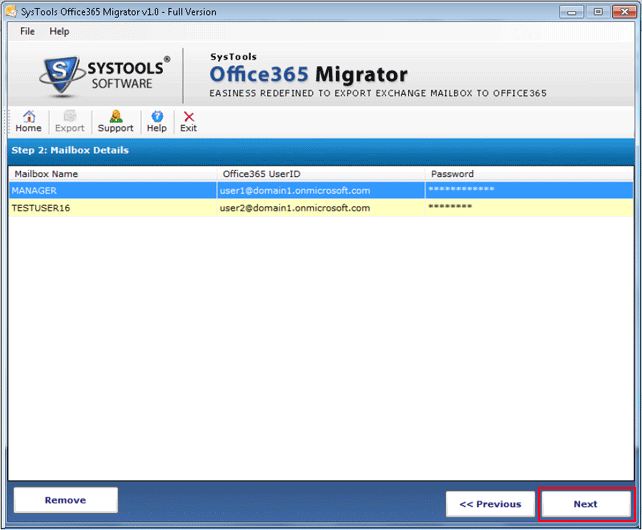
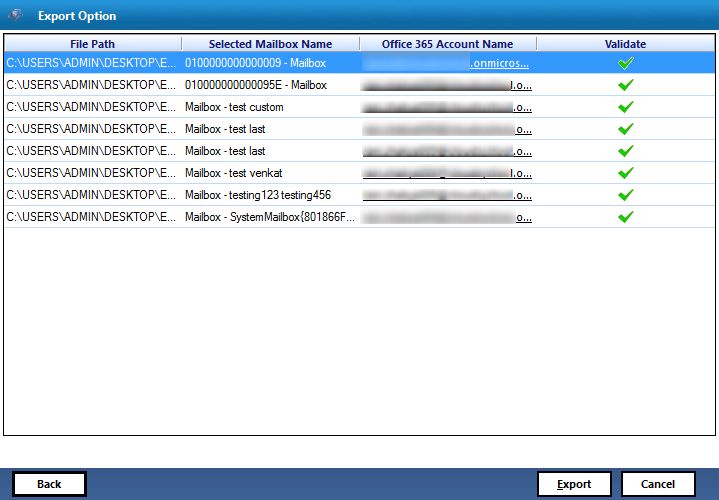
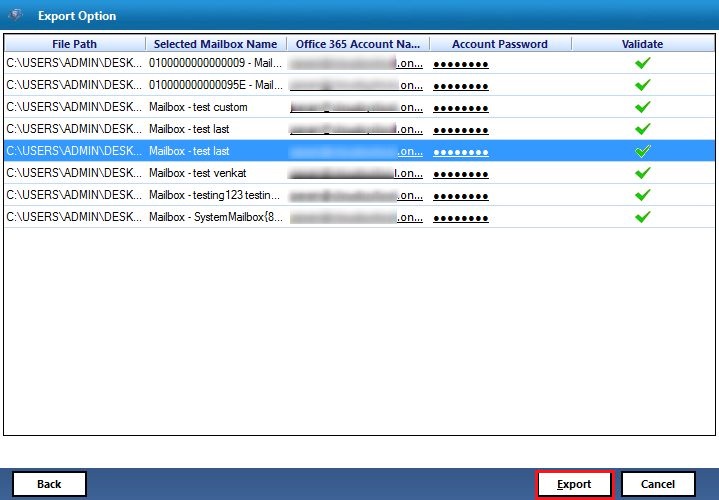
The best part about this Exchange server 2010 migration to Office 365 is that a user can migrate and save the mailbox data into a respective Office 365 user account. This can be done via feature offered by the tool. A user needs to provide the credentials of Office 365 account for each user, which corresponds to the respective Exchange mailboxes.

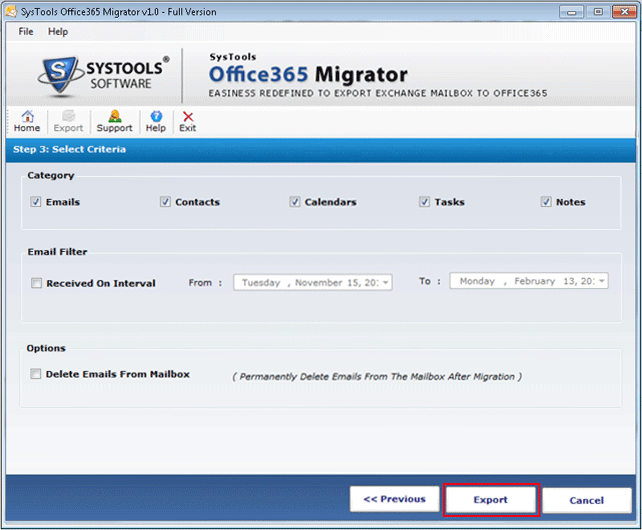
By default the application permit users to export all data items from a mailbox into a particular Office 365 user account. For example, emails, contacts, notes etc. Moreover, if a user wants, then one can check or uncheck the data items and migrate only selective data items from Live Exchange Server to Office 365 account(s).

While migrating from Exchange to Office 365 permanently, a user can delete the data within the Exchange Server after migration. A user can simply do this by checking the 'Delete Emails from Mailbox’ option and permanently delete emails from the Exchange mailboxes after completing the migration process successfully.

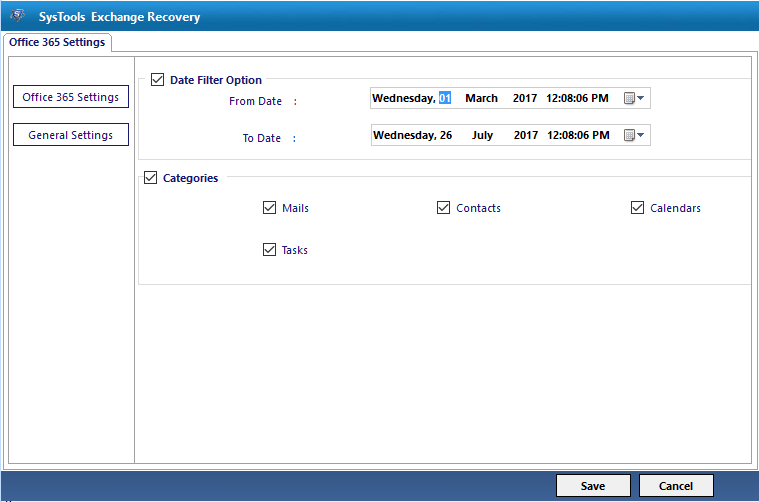
A user can migrate selective data also from Exchange 2013 mailbox to Office 365 user account by using date-based filter option. A user just needs to set the date range in ‘to’ and ‘from’ field and migrate a selective set of messages only. This filter option is applicable only on the emails, rest of the data will be exported completely.

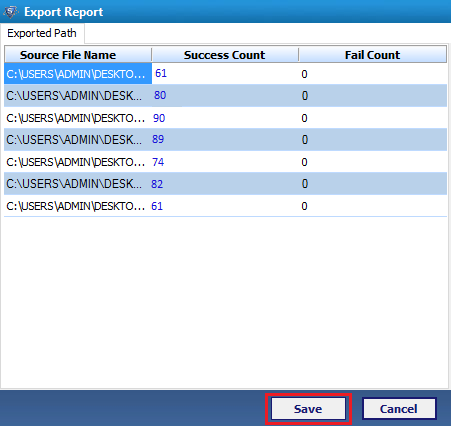
As the Live Exchange to Office 365 migration process starts, the tool will display the current a status of the export process. It displays all details like authentication status of mailbox and count of a number of items being converted, etc. As the migration completed successfully, the software will generate a complete export report for the same.
Migration from one application to another is not at all an easy task to perform. But as per the growing popularity of cloud platforms, most of the users want to switch from Exchange Server 2016, 2013, 2010, 2007, 2003 to Office 365. However, migration process needs to be performed carefully because a small mistake can cost a lot. Therefore, it is always advised to use some trustworthy professional solution for the same.
If users are looking for a solution to switch from active Exchange to O365 account, then there must be some reason behind it and is discussed below:
To migrate from Exchange to Office 365 user account in a best possible, one can use a third-party tool named as Office 365 Migrator. It also permits users to map Exchange EDB mailboxes to desired Office 365 account by providing admin credentials. The tool is designed in such a way that it exports all data items stored in it like emails, contacts, calendars, etc. Moreover, to migrate data from Exchange 2016, 2013, 2010, 2007, 2003 to O365, a user must have Exchange Server environment on the local machine.
Demo Limitation:
Demo version of Exchange to Office 365 Migrator Software can migrate first 50 items per folder from five mailboxes of Exchange.

Yes, the Live Exchange Server must be active in order to complete export process successfully.
Yes, a user can easily migrate selective data items from Exchange user account simply by checking or unchecking the data items.
Yes, you can export multiple Exchange mailboxes to Office 365 user account in bulk without any limitation using Office 365 Migrator tool.
I was searching for the application that allows me to migrate multiple mailboxes from Live Exchange Server to respective Office 365 user account. After a very long search, I came to know about this Exchange to Office 365 Migrator tool. I must say that it migrate all my data to respective Office 365 account using mapping feature. The ease of use offered by the application is best part that I liked about the software.
Nora Mendoza, Argentina
Migrating data from on-premise Exchange to cloud is a very challenging task. But with your Exchange to Office 365 tool, the migration turned out to be trouble-free.
Richard Reid, Orlando
(4.8 Based on 127 Reviews)
Migrate From Offline Exchange Server to Office 365 Mailboxes

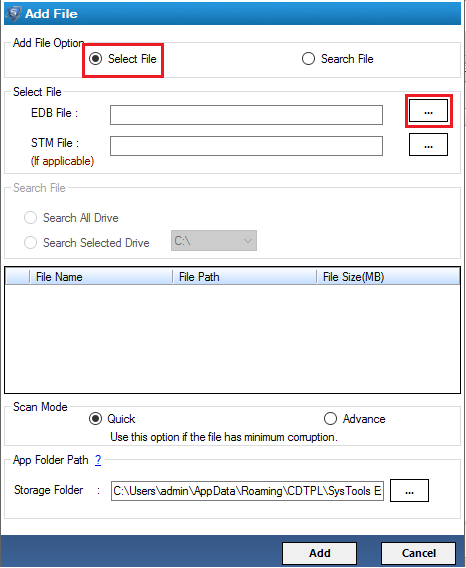
With the help of this EDB to Office 365 migration tool, a user can migrate data from both the priv.edb and pub.edb file. This application permit users to export mailboxes and data from public folder data to Office 365 user account without any hassle.
It might be possible that a user is having a corrupt Exchange EDB file due to any reason. Thus, a user can use this application as it scan the corrupt EDB file and export all mailboxes to Office 365 without compromising data integrity. Moreover, it does not impose any file size limitation.

Using this Exchange 2013 EDB to Office 365 Migrator application, a user can perform customize migration also. For example, one can export either all or selected mailboxes from EDB file to O365 account. A user can check the mailboxes or folders that need to be exported to Office 365 mailboxes.
The another best part of EDB file to Office 365 Exporter tool is that it provides users an option to map and move dismounted EDB mailboxes to O365 account. A user just need to provide Exchange mailbox name and particular Office 365 account credentials for mapping. In order to map multiple mailboxes one can use CSV file.

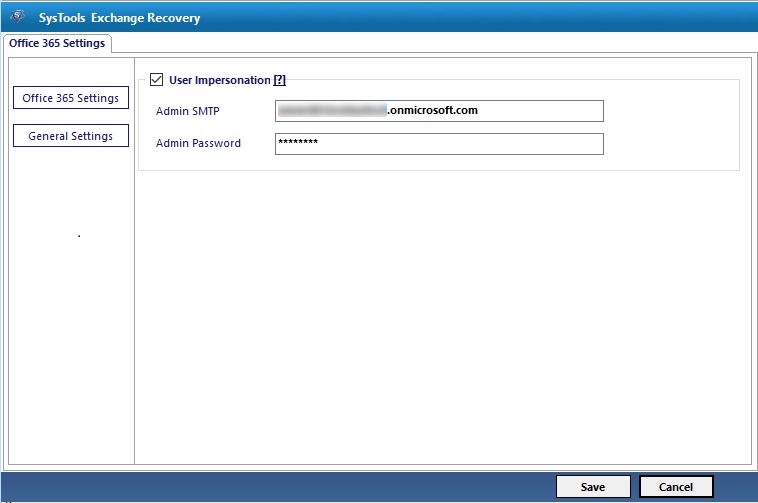
When a user export multiple mailboxes into multiple O365 accounts validation of each account is mandatory. In order to do this in a convenient way, the software provides an impersonation feature. It allows users to validate all accounts at once. One needs to enter Office 365 admin account credentials.
The EDB to Office 365 Converter application also allow users to export selective emails to O365 by checking the respective checkboxes. Moreover, a user can use category selection feature also to migrate only selective data items like emails, contacts, calendars, tasks, etc. The tool provides a date-based filter option also to export data from a specific date range.
Exchange EDB File: It is the file format that is commonly used to store Exchange 2016, 2013 , 2010, 2007 (& below versions) mailbox data such as emails, contacts, calendars, etc. EDB file basically stands for Exchange Database File, which stores all in-process and non-SMTP messages. In this files are formatted with the help of b-tree structure and there is one STM file is associated with each EDB file containing actual SMTP message. Apart from all this, private folder & public folder are the two main EDB files used by the Exchange Server to store data.
Office 365: Microsoft Office 365 is a Web-based edition of MS Office suite that contains enterprise-grade productive applications. A user can use Office 365 services via cloud and it contains Exchange Online for email, a suite of Office Web Apps, SharePoint Online for collaboration etc. It is basically a web-based edition of the traditional MS Office suite.
In order to have foolproof solution and to migrate Exchange EDB data into O365 account, one can use this amazing Exchange to Office 365 Migrator tool. It is one of the best possible solution to export EDB directly to Office 365 account without any loss of data. It does not require Exchange environment to perform migration. Moreover, it also allows users to migrate multiple mailboxes from EDB to O365 without any loss of data.
Demo Limitation:
Demo version of EDB to Office 365 Tool migrate 25 items per folder from EDB file to O365.
No, the Exchange to Office 365 Converter tool does not impose any Exchange EDB file size limitation.
Yes, a user can easily export multiple mailboxes to O365 account in a single go using the impersonation feature offered by the application.
Yes, you can easily migrate data from damaged Exchange EDB file to Office 365 account.
Thanks to this Exchange to Office 365 Migrator application. It help us a lot in exporting multiple mailboxes from Exchange EDB to O365 account at once without any hassle. I like this tool so much as it provides an easy user interface for use. Great work was done by the developers in developing such an amazing utility.
Kevin, Scotland
This tool is the best migration tool I have ever used. It migrated bulk mailboxes from dismounted EDB to Office 365 account. The best part is that I migrated EDB file in absence of Exchange Server. Thanks Team!
Damien Kennedy, Florida
For purchasing quotes, reseller network or any type details please contact